


How to Use the Dr At Doorstep App to Manage Your Family's Health Records

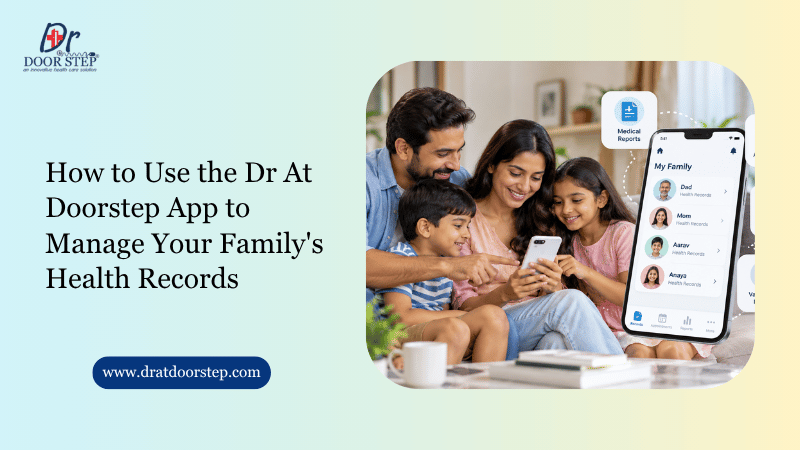
Ever stood in front of a doctor, scrolling through WhatsApp to find last month’s blood test? Most of us have. When more than one family member needs care, reports and prescriptions pile up fast. A healthcare delivery system that works digitally can take much of that mess away.
The Dr At Doorstep app is one way to bring it all together. Once you know where things sit, bookings, reports and prescriptions get easier to handle.
A little organisation saves real time. It helps on routine check-ups and on sudden visits. Here’s how to use the Dr at Doorstep app to manage family’s health record.
Why Digital Health Records Matter for Indian Families
Many Indian homes still run on steel almirahs, plastic folders and WhatsApp chats. It works fine until a report goes missing right when the doctor asks for it.
Digital records give you a calmer option. Depending on the app’s features, you may be able to view reports, check booking details and follow your care from your phone. That’s the whole point of trying to access digital health records in India instead of digging through files.
What you gain:
- Quick access
- Smoother follow-ups
- Easier family coordination
- Less paperwork
- Fewer lost reports
One thing to remember: digital records don’t replace medical advice or emergency care. They just make your information easier to find.
How to Use the Dr At Doorstep App for Family Health Records
Dr At Doorstep offers home healthcare, including doctor visits, lab tests, nursing care and medicine delivery. Its app lists digital reports, prescriptions and appointment tracking among its features. Here’s a simple way to use them.
Step 1: Download and Set Up Your Account
Get the official app from the Google Play Store, or start from the official website. Register or sign in as the screen asks.
Double-check your mobile number. Appointment updates will reach you there, so a wrong digit can cost you.
Step 2: Enter the Right Patient Details
Always enter details for the person actually receiving care. Name, age, contact number and any medical information should match.
If the app has separate family profiles, use them. If you can’t find that option, ask customer support how to book for dependants.
Step 3: Book and Track a Home Doctor Visit
The app lets you request services at home and follow the appointment. Here’s the general flow to track a home doctor visit online:
- Open the app and pick the service, like a doctor visit at home.
- Add the patient’s details and the correct address.
- Choose an available slot and review the booking.
- Watch the app or notifications for status updates.
Keep your phone nearby around the scheduled time. Dr At Doorstep also says confirmations can come through WhatsApp, with the provider’s name and timing.
Step 4: Access Reports and Prescriptions
Reports and prescriptions tell the story of a consultation or test. They also help in future visits.
Open the app and look for the booking, report, prescription or medical-history section. Pick the right patient and service before opening anything.
Wondering how to download medical reports from Dr At Doorstep? Check whether the report shows a download, PDF or share option. The exact steps can vary with your app version and the service you booked.
If a report isn’t visible, first check whether it’s been issued or not.
Step 5: Review Records Before Follow-Ups
Before a follow-up, look through old prescriptions, test reports and visit details. Jot down any change in symptoms and a few questions for the doctor.
Take a family managing an elderly parent’s diabetes. They can keep recent sugar reports, current medicines and follow-up notes together. The doctor then gets a clear picture in minutes.
Please don’t change medicines based only on a report in the app. Talk it through with a qualified doctor.
How a Healthcare Delivery System Supports Family Health Management
A well-organised setup connects patients with services and helps them manage care. Digital tools bring bookings, reports and requests closer together.
For Indian families, this matters most when relatives live in different cities. It also helps when adult children coordinate care for ageing parents from far away.
Three habits make it work better:
- Keep a health folder
- Prepare before consultations
- Review records regularly
In practice, that means saving backup copies of key reports somewhere secure. Keep a list of current medicines and allergies handy too. Every few months, check that nothing important is missing.
Can You Manage Multiple Family Profiles?
It depends on the platform. If your version of Dr At Doorstep offers separate patient profiles, use them to keep everyone’s details apart.
That’s the cleanest way to manage family health profiles on app without crossing wires. If the option isn’t there, ask customer support how to arrange care for different people without mixing their records.
This matters most for:
- Young children
- Senior parents
- Ongoing treatments
A child’s prescription should never end up in a parent’s medication history. Small mix-ups like that can cause big confusion.
Common Mistakes to Avoid
Even a good tool works poorly when details are careless. Watch out for these:
- Wrong patient details
- Expecting instant reports
- Relying only on the app
- Sharing login details
- Delaying urgent care
Quick notes on each:
- Always verify the patient’s name
- Report timing varies by service, so call support if something’s missing.
- Keep backups of key documents and emergency numbers.
- Never send medical records to unverified people.
India’s digital health ecosystem is also growing through the Ayushman Bharat Digital Mission (ABDM). Still, don’t assume an app connects with national systems. Check that yourself.
Frequently Asked Questions
How can I access digital health records in India?
Through healthcare apps, diagnostic portals or other authorised digital platforms. What you see depends on the provider and the services you’ve used. Keep backup copies of key reports for future consultations.
How can I download my medical report from Dr At Doorstep?
Open the application and go to the booking/reporting tab. There will be an option of downloading a PDF. If you don’t have it, then contact customer care at 80001 26666.
Is there any option to track my home doctor visit online?
Yes, appointment monitoring is one of the features of the app. Look at your booking details and notifications for more information.
Can I manage family health profiles on the app?
It depends on your app version. Look for a family or patient-management section. If you can’t find one, ask support how to book for relatives while keeping records separate.
Is the app useful for elderly family members?
Yes. Families can arrange home doctor visits, nursing care and diagnostic tests, then keep records in one place. Medical decisions should still stay with qualified professionals.
Conclusion
Family medical information gets much easier to handle when reports, prescriptions and bookings sit in one place. The Dr At Doorstep app offers digital reports, prescriptions, appointment tracking and home healthcare services to help with that.
Start by downloading the app and entering patient details carefully. Learn where your bookings and documents live. Keep secure backups, review records before consultations, and call support if a report won’t show up.


Call Home Visit Doctor in Hyderabad
Convenience and efficiency are highly valued in the fast-paced world of today. People are looking for alternate options and want.
Read More
How to Choose the Best Home.
When receiving medical care, your loved ones want to feel secure and at ease. Many families today choose home health.
Read More
